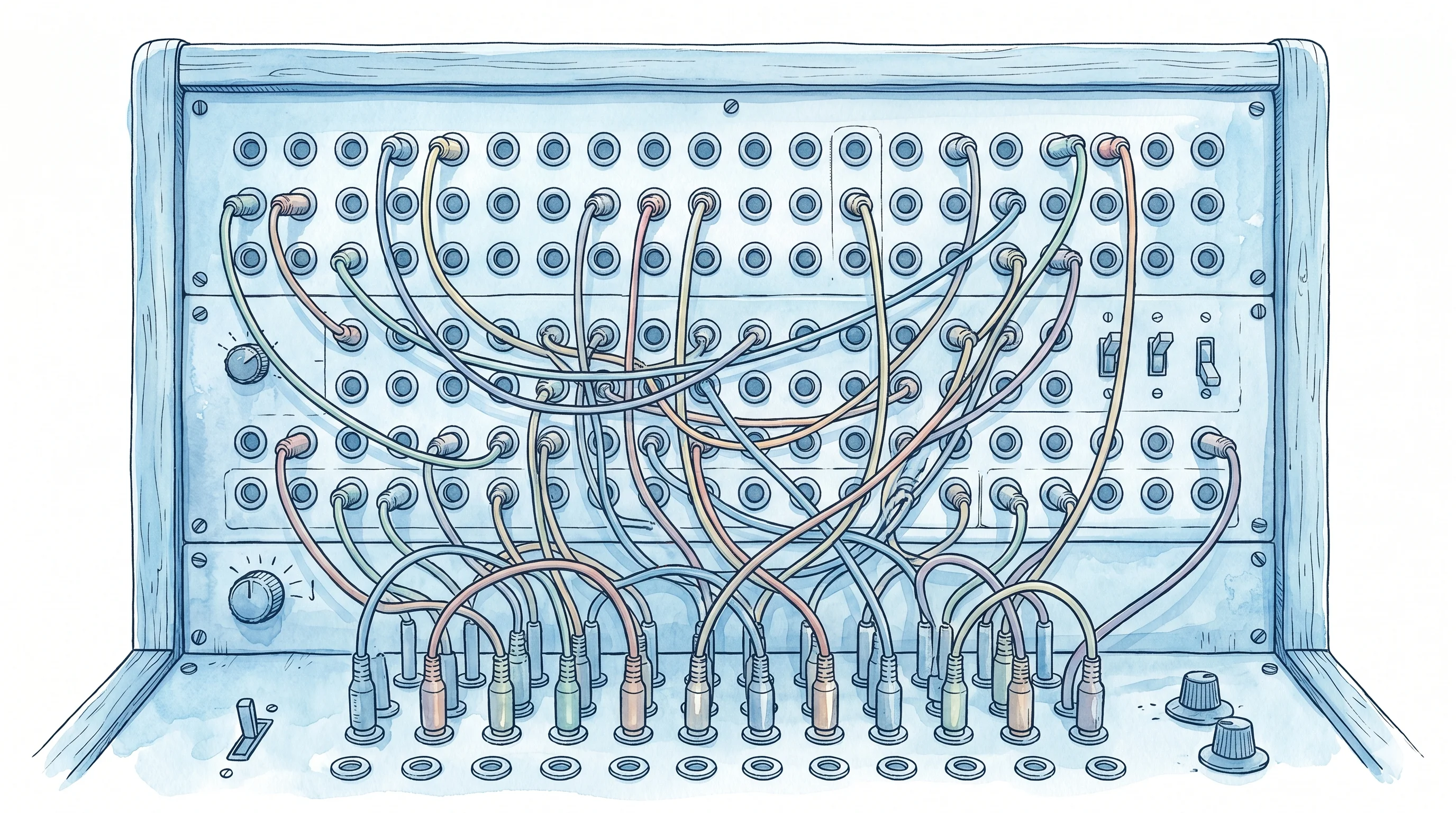
Cron + Telegram + Claude: Anatomy of a Self-Improving System at $0
The actual production system implementing Self-Tuning Loop from Part 1. Data collection (35 sources), AI curation, Telegram input pipeline, weekly auto-review, and Syncthing-based zero-deploy prompt evolution.
The previous part introduced the Self-Tuning Loop concept — capturing diffs between AI drafts and human edits, analyzing patterns, and auto-evolving prompts in a 4-step cycle.
This part dissects a system where this loop is actually running in production. Not theory — a real environment.
System Overview: One Dashboard, Five Automations
This system consolidates personal repetitive tasks into a single pipeline where AI processes them and a feedback loop improves the results.
graph TD
    subgraph Collect ["Layer 1: Auto-Collection (04:00 KST)"]
        RSS["RSS 19 feeds"]
        HN["Hacker News 8 queries"]
        WEB["GitHub Trending + HF Papers"]
        RED["Reddit 2 subs"]
        TAV["Tavily Search 7 queries"]
        STATS["GA4 + GitHub + Naver"]
    end

    subgraph Store ["Layer 2: Supabase"]
        RAW["daily_news_raw"]
        DN["daily_news (curated 20)"]
        DS["daily_stats"]
        LD["linkedin_drafts"]
        TQ["task_queue"]
    end

    subgraph AI ["Layer 3: AI Processing"]
        CURATE["News Curation (06:30)"]
        LINKEDIN["LinkedIn Drafts (10:00)"]
        DISPATCH["Task Dispatcher (hourly)"]
    end

    subgraph Feedback ["Layer 4: Self-Tuning Loop"]
        FB["👍/👎 + bookmarks + edit diffs"]
        REVIEW["Weekly Auto-Review (Sat 03:00)"]
        EVOLVE["Auto-Patch Prompts"]
    end

    RSS & HN & WEB & RED & TAV --> RAW
    STATS --> DS
    RAW --> CURATE --> DN
    DN --> FB --> REVIEW --> EVOLVE
    EVOLVE -->|"next week's curation improves"| CURATE
Five automations are running:
| Automation | Frequency | What It Does |
|---|---|---|
| News collection | Daily 04:00 | Collect from 35 sources → dedup → store |
| AI curation | Daily 06:30 | 150 items → select 20 + summaries |
| LinkedIn drafts | Daily 10:00 | Generate 2 post drafts from yesterday’s news + feedback |
| Task dispatcher | Hourly | Process Telegram inputs (blog/research/ideas) |
| Weekly review | Saturday 03:00 | Analyze curation quality + auto-patch prompts |
Additional cost: $0. The entire stack runs on free tiers.
The Hardware Running This
There was a Mini PC bought for a different project — Intel N100, 16GB RAM, Windows 11. Originally purchased to run a Slack-based AI agent framework (OpenClaw, later renamed BoltShark) 24/7. When that project was archived, only the hardware remained.
This idle equipment was repurposed.
| Component | Role | Environment |
|---|---|---|
| pm2 + node-cron | News/Stats collection crons | WSL Ubuntu |
| Claude Desktop | AI curation, LinkedIn drafts, task dispatcher | Windows |
| Syncthing | Mac ↔ Mini PC file sync | Windows + Mac |
Node.js crons run in WSL Ubuntu, while Windows Claude Desktop handles AI tasks as scheduled prompts. The two environments connect via /mnt/c/ paths.
Layer 1: Data Collection — 35 Sources, Auto-Dedup
Every day at 04:00 KST, node-cron collects news from 35 sources.
| Category | Sources | Method |
|---|---|---|
| Official Blogs (Tier 1) | OpenAI, Google AI, DeepMind, HuggingFace, NVIDIA, Meta | RSS |
| Experts (Tier 2) | Simon Willison, Ahead of AI, One Useful Thing, Latent Space | RSS |
| Media (Tier 3) | TechCrunch AI, VentureBeat AI, MIT Tech Review | RSS |
| Korean (Tier 4) | AI Times, MIT Tech Review KR, GeekNews, PyTorch Korea | RSS |
| Community | Hacker News (8 keywords), Reddit (r/ML, r/LocalLLaMA) | API + RSS |
| Search | Anthropic, BCG, Bain, Deloitte, Gartner, Stanford HAI | Tavily |
| Trending | GitHub Trending Python, HuggingFace Papers | Scraping |
After collection, 3-stage dedup is applied:
1. URL normalization — Remove query params, trailing slashes, then compare 2. Title similarity — Filter same news published at different URLs 3. Topic word matching — Flag as duplicate candidate if 3+ keywords overlap
Result: 50–200 items stored daily in daily_news_raw. Failed source lists are also recorded.
Safety-Net: Don’t Trust the Cron
An incident occurred where node-cron silently skipped execution in the WSL2 environment. pm2 showed “online” status, but there were no logs at all for the 04:05 schedule. The WSL2 VM likely paused during idle state, causing cron’s per-minute polling loop to miss the target time.
A triple defense was built afterward:
1. Global crash handler — Catch uncaughtException, unhandledRejection
2. Startup catch-up — If today’s data is missing on process restart, run immediately
3. 06:00 safety-net cron — Verify by checking if result rows exist. Re-run if missing
Key lesson: pm2 “online” doesn’t guarantee the CPU is actually running. Don’t trust the cron — verify the results.
Layer 2: AI Curation — 150 → 20
Every day at 06:30 KST, Claude Desktop’s scheduled task reads the curate-daily-news.md prompt and executes it.
Curation Criteria
| Criteria | Description |
|---|---|
| Freshness | Within 14 days (reduced from 60 after review) |
| Dedup | URL comparison against previous 2 days’ daily_news |
| Tier weight | Official blogs > Experts > Media > Community |
| Category distribution | Model, Method, Tool, Product, Industry — balanced |
| Consulting firm priority | BCG, Bain, Deloitte etc. within 14 days → auto-include |
Results are classified into 3 tiers:
Must-Read (red) — Can’t miss Notable (amber) — Good to know FYI (default) — For reference
What the Dashboard Shows
A web dashboard (Lovable + Supabase) displays the day’s curation results. Each news card includes:
- Category color badges (Model=purple, Tool=green, Product=orange, etc.)
- Save toggle (bookmark)
- 👍/👎 feedback + comments
- Failed source warning banner
This feedback flows into Layer 4’s Self-Tuning Loop.
Layer 3: Telegram Input Pipeline — Phone to System
The most distinctive part of this system. A Telegram Bot serves as the mobile input layer.
graph LR
    PHONE["📱 Telegram"] -->|"photo + caption"| WEBHOOK["Supabase Edge Function"]
    WEBHOOK -->|"Vision + Tavily preprocessing"| TQ["task_queue table"]
    TQ -->|"every hour"| DISPATCH["Claude Desktop dispatcher"]
    DISPATCH -->|"route by type"| RESULT["Blog / LinkedIn / Research / Ideas"]
How It Works
1. Send photos and captions from Telegram. Specify type with keywords (/blog, /linkedin, /research, /idea). Photos without keywords default to blog.
2. Supabase Edge Function (receive-telegram) receives via webhook.
- Albums (multiple photos) are grouped by
media_group_idinto a single task - OpenAI Vision generates photo descriptions
- Tavily + Naver search pre-processes related information
- Results are stored in
task_queueaspending
3. Claude Desktop on the Mini PC reads process-queue.md prompt every hour and processes pending tasks.
blog→ Blog draft (3,500–5,000 words, 9-section structure, photo placement)linkedin→ LinkedIn post draftresearch→ Research note saved to secondbrainidea/todo→ Saved to secondbrain
4. Telegram notification on completion.
Core value: Just send one photo while on the move. The system handles the rest.
Layer 4: Self-Tuning Loop — In Practice
This is where Part 1’s concept is actually implemented.
News Curation Self-Improvement
graph TD
    GEN["Generate: Curation prompt selects 20"]
    CAP["Capture: 👍/👎 + bookmarks + comments"]
    ANA["Analyze: Weekly review (Sat 03:00)"]
    EVO["Evolve: Auto-patch curation prompt"]

    GEN --> CAP
    CAP --> ANA
    ANA --> EVO
EVO -->|"next week's curation improves"| GENGenerate: Daily at 06:30, the curate-daily-news.md prompt selects 20 news items.
Capture: Users leave feedback on the dashboard.
- 👍 “This was good” / 👎 “Didn’t need this”
- Bookmark “Revisit later”
- Comment “Want more of this type”
- Direct URL submission “This article was missed”
Analyze: Every Saturday at 03:00, weekly-review.md auto-executes.
- Queries 7 days of feedback data
- Analyzes selection patterns
- Reviews user-submitted news
Evolve: Auto-patches the curation prompt based on analysis.
- Safe changes (high-frequency style/priority adjustments) → git commit + push
- Risky changes (source additions/removals, structural changes) → Telegram suggestion only
The freshness filter reduction from 60 days to 14 days was an actual result of auto-patching through the weekly review.
LinkedIn Draft Self-Improvement
The same loop runs for LinkedIn.
Generate: Daily at 10:00, daily-linkedin-draft.md generates 2 drafts. Items that received 👍 or bookmarks from the previous day’s news are prioritized as source material.
Capture: Drafts are edited in the dashboard’s LinkedIn Studio. Tone, hashtags, and structure are modified before publishing. Both the original draft and final published version are stored in the linkedin_drafts table.
Analyze + Evolve: Every Saturday at 03:15, weekly-linkedin.md analyzes editing patterns from published posts and auto-updates the tone guide.
Prompt Evolution Deployment: Syncthing
Here’s a critical infrastructure detail. Prompt file updates require zero deployment.
Syncthing synchronizes 4 folders in real-time bidirectionally between Mac and Mini PC.
| Folder | Content | Deployment |
|---|---|---|
memory/ | Claude Code memory files | Auto-sync |
claude-commands/ | Custom slash commands | Mac → Mini PC (one-way) |
secondbrain/ | Research notes, ideas | Bidirectional |
minbook-content/ | Blog content | Bidirectional |
Claude Desktop’s scheduled tasks read prompt files directly from disk on every execution. Therefore:
1. Edit daily-linkedin-draft.md’s tone guide on Mac
2. Syncthing auto-syncs to Mini PC (within seconds)
3. Next 10:00 KST execution picks up the updated prompt immediately
No pm2 restart, no git push, zero deployment process. When the weekly review auto-patches a prompt, that file syncs via Syncthing and applies from the next execution.
This is why the Self-Tuning Loop’s Evolve step works with zero friction in practice.
graph LR
    REVIEW["Weekly Review<br/>(Sat 03:00)"] -->|"patch prompt"| FILE["prompts/*.md<br/>(Mini PC)"]
    FILE -->|"Syncthing sync"| MAC["Also editable<br/>on Mac"]
    MAC -->|"Syncthing sync"| FILE
    FILE -->|"auto-applied on<br/>next execution"| CLAUDE["Claude Desktop<br/>scheduled task"]
Code Changes Go Through Git
When modifying source code (not prompts), the standard flow applies:
Edit on Mac → git push → Mini PC git pull → pm2 restartBut what evolves in the Self-Tuning Loop is prompt files, not source code. Zero deployment for prompt evolution is this architecture’s key advantage.
$0 Cost Structure
| Component | Service | Cost |
|---|---|---|
| DB + Auth + Edge Function + Storage | Supabase (free tier) | $0 |
| News search (1,000/month) | Tavily (free tier) | $0 |
| AI curation + dispatcher + review | Claude Desktop (included in Max subscription) | $0 additional |
| Web dashboard | Lovable (free tier) | $0 |
| File sync | Syncthing (open source) | $0 |
| 24/7 server | Mini PC (already owned) | Electricity only |
| Total | $0 additional cost |
The Mini PC was already purchased for another project (Slack AI agent), and Claude Max subscription was already in use for development. No additional spending was required for this system.
Full Cron Schedule
| Time (KST) | Task | Environment | Notes |
|---|---|---|---|
| 04:00 | News collection (35 sources) | pm2 node-cron | |
| 04:05 | Stats collection (GA4 + GitHub + Naver) | pm2 node-cron | |
| 06:00 | Safety-net re-verification | pm2 node-cron | Re-run if missing |
| 06:30 | AI news curation | Claude Desktop | |
| 09:30 | Minbook metadata sync | pm2 node-cron | GitHub API |
| 10:00 | LinkedIn auto-draft ×2 | Claude Desktop | |
| Hourly :00 | Telegram task dispatcher | Claude Desktop | |
| Sat 03:00 | Weekly news quality review | Claude Desktop | Self-Tuning |
| Sat 03:15 | Weekly LinkedIn pattern analysis | Claude Desktop | Self-Tuning |
All pm2 crons explicitly set { timezone: 'Asia/Seoul' } to prevent host timezone drift in WSL2.
Operational Data
News Curation
| Metric | Early | Current | Change |
|---|---|---|---|
| Daily collection | 80–120 | 130–200 | Increased after source optimization |
| Failed source rate | 15–20% | Under 5% | RSS URL fixes + fallbacks |
| Freshness filter | 60 days | 14 days | Weekly review auto-adjusted |
| Cross-day duplicates | Not checked | Previous 2 days | Weekly review suggestion → implemented |
Auto Prompt Patch History
What the weekly review actually patched:
- Freshness filter: 60 days → 14 days (old articles were repeatedly selected)
- Cross-day URL dedup added (2-day
daily_newslookback) - Consulting firm priority restricted to within 14 days
- LinkedIn draft tone: Systematized into 6-type template structure
Architecture Summary
graph TB
    subgraph Mac ["💻 Mac (Development)"]
        CODE["Code changes"]
        PROMPT_EDIT["Prompt editing"]
        DASH["Dashboard (browser)"]
    end

    subgraph Sync ["🔄 Syncthing"]
        S["Real-time bidirectional sync"]
    end

    subgraph MiniPC ["🖥 Mini PC (Production)"]
        PM2["pm2 crons<br/>collection + safety-net"]
        CD["Claude Desktop<br/>curation + dispatch + review"]
        PROMPTS["prompts/*.md"]
    end

    subgraph Cloud ["☁️ Cloud"]
        SB["Supabase<br/>DB + Auth + Edge Function"]
        TG["Telegram Bot<br/>input + notifications"]
        LV["Lovable<br/>web dashboard"]
    end

    CODE -->|"git push/pull"| PM2
    PROMPT_EDIT --> S --> PROMPTS
    PM2 -->|"collected data"| SB
    CD -->|"read/write"| SB
    CD -->|"load prompts"| PROMPTS
    TG -->|"webhook"| SB
    SB --> LV
    LV --> DASH
5 layers, $0 additional cost, 24/7 automated operation.
This is implementable without a Mini PC. If your Mac runs 24/7 or you use a cloud VM, it works the same. The key is the combination of cron + AI dispatcher + feedback DB + file sync, not specific hardware.
Next: Build Your Own
This system is tailored to a specific workflow. The next part extracts the Self-Tuning Loop’s core pattern into a module anyone can apply, with a GitHub reference implementation.
- 4-step loop as a standalone module
- Supabase schema + analysis/evolution prompts (full text)
- Email and blog application examples
- Quick Start guide
This Series
- Part 1: The Wasted Learning Signal
- Part 2: Cron + Telegram + Claude System Anatomy (this post)
- Part 3: Build Your Own Self-Tuning Loop (coming soon)
Related Posts
- Claude Code Anatomy: Tool System — How Claude Desktop manages 52 tools
- Lovable→Vercel Migration — Background on this system’s dashboard stack
- Ralph Loop: Implementation Guide — Another approach to file-based agent loops
References
- Supabase Documentation: https://supabase.com/docs
- Syncthing: https://syncthing.net
- Claude Desktop Scheduled Tasks: Anthropic Claude Max feature
- node-cron: https://github.com/node-cron/node-cron
- pm2 Process Manager: https://pm2.keymetrics.io
Related Posts

Build Your Own Self-Tuning Loop — Reference Implementation Guide
Self-Tuning Loop 4 steps (Generate → Capture → Analyze → Evolve) extracted as a universal module. Supabase DDL, diff capture utilities, analysis/evolution prompts, email/blog examples, GitHub reference implementation.

The Wasted Learning Signal — The Gap Between AI Drafts and What You Actually Publish
Introducing Self-Tuning Loop: capture implicit feedback from human edit diffs, analyze patterns periodically, and auto-evolve prompt guidelines. Includes academic gap analysis (DSPy, TextGrad, POHF).
Multi-Agent Workflow — 6 Patterns from Supervisor to Swarm
Six core patterns of multi-agent workflow (Supervisor / Sequential / Hierarchical / Network / Swarm / Map-Reduce), grounded in primary sources from LangGraph, CrewAI, OpenAI, and Anthropic. Each pattern's topology and fit, plus a decision framework for production.